Friday, November 5, 2010

SBR600: To Thumb? or Not to Thumb? (v0.1)


** CONTENT OF THIS ENTRY IS INCORRECT **

I have got the root access to a brand new beagleXM machine. This machine is named cdot-guru-4-1 and it's running on fedora-arm armv5tel architecture.

I was benchmarking this machine with and without Thumb instruction set. All the compiling was done with rpmbuild and source rpm files.

For compiling options for rpm, the macros file is located at /usr/lib/rpm/platform/armv5tel-linux/macros. I enabled Thumb by giving -mthumb and -mthumb-interwork switchs to %optflags inside macro file.


NLED
-mthumb -mthumb-interwork none
Compiled rpm size
30788 (31K)
30788 (31K)
30792 (31K)
Compile time real 0m15.633s
user 0m13.920s
sys 0m1.250s
real 0m15.671s
user 0m13.750s
sys 0m1.410s
real 0m15.739s
user 0m13.740s
sys 0m1.440s

Surprisingly, I didn't see enough difference. I had a bunch of thoughts in my head after testing with NLED. I started believing that I might be doing something incorrectly. I've also thought NLED being tiny in size could be the reason.

gzip


-mthumb -mthumb-interwork none
Compiled rpm size
116548 (114K)
116544 (114K)
116556 (114K)
Compile time real 1m16.543s
user 0m49.060s
sys 0m16.190s
real 1m22.706s
user 0m49.260s
sys 0m15.810s
real 1m21.846s
user 0m48.880s
sys 0m16.130s


calc


-mthumb -mthumb-interwork none
Compiled rpm size
587920 (575K)
587904 (575K)
587912 (575K)
Compile time real 5m39.970s
user 4m33.500s
sys 0m30.300s
real 5m32.401s
user 4m33.790s
sys 0m30.670s
real 5m33.676s
user 4m34.350s
sys 0m31.080s

No real difference. I began to notice the performance gap between regular size PC and the beagleXM.

gedit


-mthumb -mthumb-interwork none
Compiled rpm size
3374912 (3.3M)
3374868 (3.3M)
3374880 (3.3M)
Compile time real 31m25.956s
user 28m21.630s
sys 1m39.280s
real    31m32.184s
user    28m25.480s
sys    1m38.960s
real 31m37.174s
user 28m11.660s
sys 1m38.880s


I tried testing with a bigger source file as well. When I tried compiling GIMP, which was a 16MB file, it took way too long and I could not wait. So I ended up stopping at the 92 minutes mark. Note that in my previous blog post, the same file got compiled in less than 6 minutes on my desktop PC.


    Thursday, October 14, 2010

    SBR600: RPM Packages II

    Today, I'd like to benchmark my system using rpmbuild with an option that controls different numbers of processes to build at at time. The file that controls rpmbuild macros is located in your home directory, called .rpmmacros (Notice there's a period in the beginning of the file name. So it's a hidden file.)
    Once you take a look at .rpmmacros file, you should notice it's a script file. And the place I am interested today is the line where it says

    else echo "-j3"; fi)

    I'm going to try inputting different numbers after the j switch, which would tell rpmbuild how many jobs should be started at each time. The default value for most of you should be 3 as far as I know.

    To begin, I'm going to download a source package that is bigger than NLED, which I decided on GNU Image Manipulation Program or simply gimp.

    yumdownloader --source gimp
    rpm -i ~/gimp-2.6.10-1.fc13.src.rpm
    cd ~/rpmbuild/SPECS


    So I'm going to first start with -j1. Before I begin, here's a little bit of information about my machine.

    • Fedora 13 x86_64
    • Kernel Linux 2.6.34.7-56fc13.x86_64
    • GNOME 2.30.0

    • Intel Core2Quad Q9550 CPU over clocked to 3.4Ghz
    • 2 X 2GB PC2-6400 DDR2 800 RAM at 4-4-4-12 timings
    • Asus P5E Motherboard (Intel X38 & ICH9R Chipsets)
    • Fedora installed in 300GB Western Digital Velociraptor 10,000rpm Harddrive.
    • Nvidia GTX470 chipset videocard with 1280MB of GDDR5 VRAM

    Time command will be used to correctly measure the time. So I will begin my experiment by typing,

    time rpmbuild -ba ~/rpmbuild/SPECS/gimp.spec

    Oops, it looks like I don't have all the necessary tools for rebuilding. rpmbuild gave me an error and I ended up manually installing those packages before I continued.


    So here are the results.

    j1:
    real    4m32.243s
    user    6m51.577s
    sys    1m55.820s

    j2:
    real    2m58.416s
    user    3m2.266s
    sys    1m8.217s

    j3: (system default): 
    real    5m36.593s
    user    3m11.762s
    sys    1m10.262s

    j4:
    real    5m36.461s
    user    3m10.043s
    sys    1m11.825s

    j5:
    real    5m40.848s
    user    3m13.106s
    sys    1m12.367s

    It shows that j2 option performs significantly better than others. To confirm, I've benchmarked again with j2. And the result is...

    real    5m41.125s
    user    3m13.665s
    sys    1m12.188s

    I am very confused about the result. I must be missing something out or I am benchmarking incorrectly. I will look more into that in the future.

    Monday, October 4, 2010

    SBR600: RPM Packages I

    In my previous SBR600 entry, I compiled nled from the source tarball. Today, I'm going to try building it in more advanced way using source rpm and try repackaging it in my own machine using RPM Development Tools. For those who are not familiar with rpm (like myself), here is the link to wikipedia (http://en.wikipedia.org/wiki/RPM_Package_Manager).

    Before I begin, there are some tools that I need to have in order to create a packaging environment.
    To install these, use the following commands in terminal.

    su-
    input root password
    yum install rpm-build


    When finished, install rpmdevtools by using same yum command.

    yum install rpmdevtools


    And do the same for rpmlint.

    yum install rpmlint


    And lastly, run the following command to automatically build the directories in your home directory.

    rpmdev-setuptree


    If the above command ran successfully, it should have created following directories in your home directory.


    Next step is to download a source rpm package. I'm going to try using NLED again. And I'm going to try yumdownloader command to download source rpm file automatically.

    yumdownloader --source nled


    So now I have nled-2.52-6.fc12.src.rpm file downloaded in my home directory. To install this file, use the following command.

    rpm -i ~/nled-2.52-6.fc12.src.rpm


    ~/rpmbuild/SOURCES directory hold the installed source tarballs. ~/rpmbuild/SPECS directory hold the installed spec files. A spec file for a package is used to hold specific procedures and information about how a package should be built with the source code. I will take a look at understanding/editing/creating spec files in my later blog post. For now, to rebuild from the spec file,

    cd ~/rpmbuild/SPECS/
    rpmbuild -ba nled.spec


    Friday, October 1, 2010

    Please do not touch our butterflies

    My girlfriend Michelle and I visited Wings of Paradise Butterfly Conservatory in Cambridge. I'm not a big fan of butterflies but when it comes to photography, they become one of my favorite models because 1. they are not as fast other insects or animals and 2. they are reasonably big so I don't have to get too close or too far while I'm shooting.

    Sony a900 with 16mm fish-eye @ f/3.5 1/500s ISO320 fill-in flash by Sony F58-AM

    In the middle of the shooting, I was lucky enough to have a butterfly landing on me. It must have gotten attracted by my sweat since it was pretty warm inside the conservatory. So above is the picture of Michelle and I not wasting the opportunity.

    When we finished and as we were leaving, we noticed that there was a sign near the entrance/exit saying "Please do not touch our butterflies". Oops but too late and too bad. I've already took all the pictures and it was the butterfly that approached to me. XD

    Wednesday, September 15, 2010

    SBR600: Building software from a source tarball using a makefile

    When I first tried learning to use Linux in 2007, one of the few challenges that I had was installing & running a software that I downloaded from the Internet. I've downloaded Nvidia video card driver from the web and I had no idea what to do with it.

    In Linux, a software is distributed in a few different types of packages and each of those types require different ways to build (install) it. One of those ways I'm going to try out today is compiling from the source code.

    NLED, the Neat Little EDitor is distributed in source code with makefile. It's also nice and small (Easy to play and practice with). More information about NLED is available at http://cdot.senecac.on.ca/software/nled/.

    First, use wget command in terminal to download the nled tarball. Internet connection is required and download link can be found at http://cdot.senecac.on.ca/software/nled/.

    wget http://cdot.senecac.on.ca/software/nled/nled_2_52_src.tgz


    Once downloaded, extract the files out from the tarball.

    tar vxzf nled_2_52_src.tgz


    Move to new extracted directory that contains nled files. And run makefile.

    cd nled-2.52/
    make


    If compiling fails, most likely packages that are required for compiling are missing. In my case, ncurses.h file was required but not available on my machine. To find out what package contain ncurses.h file, first gain root access and use yum command.

    su --
    input root password
    yum provides "*/ncurses.h"


    yum did its querying and returned that ncurses-devel contains file ncurses.h. For now, I'm going to use yum to install ncurses-devel package.

    yum install ncurses-devel


    Run the makefile again. Repeat the previous steps if it fails compiling.

    make


    NLED is successfully installed and ready to use. Use NLED by typing...

    ./nled


    Tuesday, September 14, 2010

    SBR600: Introduction

    Greetings everyone,
    This is my first entry to my very first blog and I feel excited.
    Thanks to SBR600 - Software Build and Release that I'm taking at Seneca College for giving me this opportunity to getting involved in the blogging and the open source community.

    I'm a sixth semester student of Computer Systems Technology (CTY) at Seneca College. I'm currently enrolled in SBR600, OPS535 (Open System Clustering - Advanced Network Administration), INT620 (Applied E-Commerce) and WIN500 (Windows Server Scripting).

    I have just created my FAS2 account. My userid is thlee3. I am new in the community and need some time to familiarize with it.


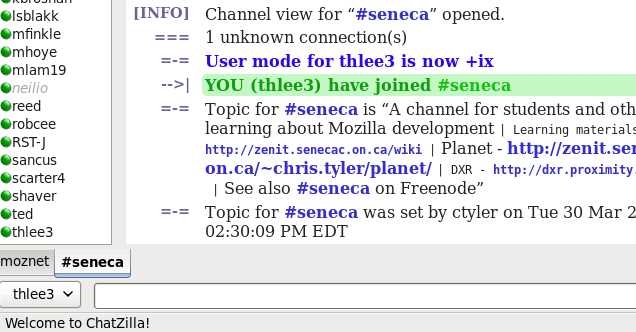
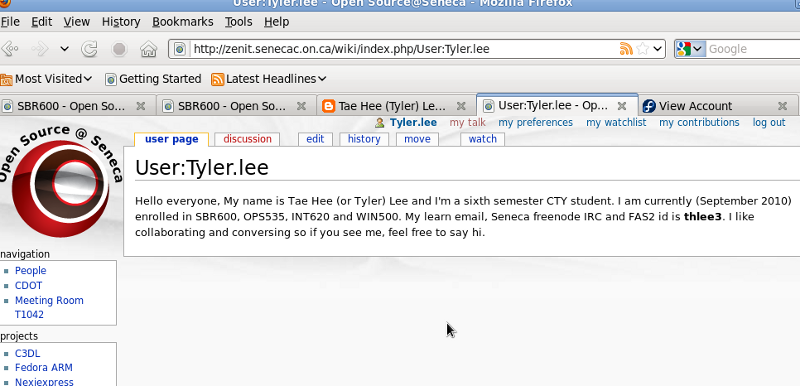
    My fellow CTY students can reach me as thlee3 @ irc://irc.mozilla.org/seneca. Or as tyler.lee at the Seneca Wiki (http://zenit.senecac.on.ca/wiki/index.php/User:Tyler.lee).